2 minute read

Adobe's new Color Mode for Premiere Pro puts professional grading firmly inside the edit with powerful reimagined tools designed specifically for editors.
Plenty to talk about new from Adobe ahead of NAB, but possibly the most eye-catching introduction is the new Color Mode for Premiere (beta). People tend to toss about phrases such as ‘game-changing’ and ‘paradigm shift’ with all too much willingness ahead of trade shows, but from what we’ve seen this genuinely changes the way that editors interact with colour grading.
Adobe says the feature is intended to address a longstanding workflow gap. Until now, editors wanting professional color grading in Premiere either handed the work to a colorist or switched to a separate application built around pro-colorist tools.
Adobe Senior Product Manager Jason Druss talks vividly about the struggles that editors have with color. "The tools gets technical, the language gets clinical, and there's this brick wall in-between your vision and what you actually see on screen. It feels impossible, and that sucks," he says.
"For years, your only options were either guessing your way through the process or to go get a doctorate in color, spending thousands of hours training in apps that were designed for full time specialists, and leaving your edit behind. But let's say the quiet part out loud, an entire generation of editors just accepted that as a fact about ourselves. 'I'm not a color person'. We've all heard it a thousand times. But you are a color person."
Or, and here's the sales pitch, you will be with the new Color Mode tools.
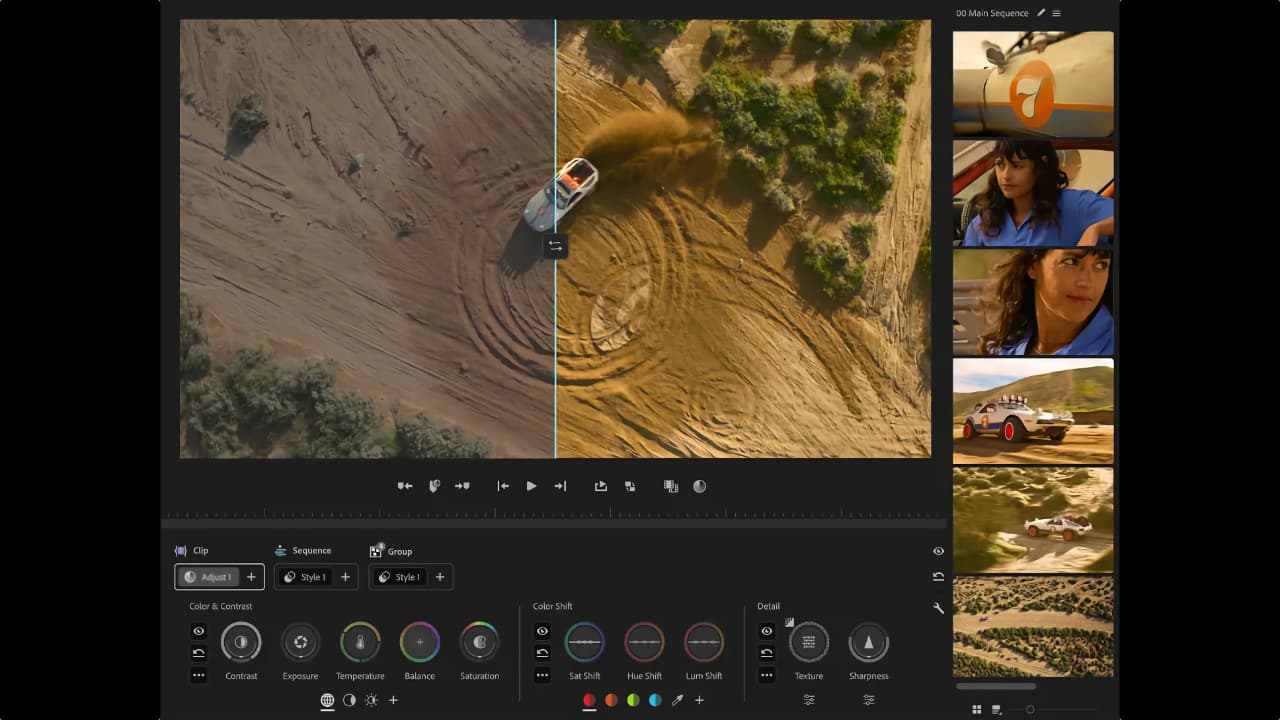
 It's not just marketing hype here either; Adobe seems to have achieved something genuinely different with Color Mode. It keeps the grading process inside the edit, with the video always visible and controls designed to behave as editors expect.
The tool is scalable: editors can make quick adjustments or work in more depth without being forced into a fixed workflow. Adobe says Color Mode provides full visibility into how color flows through a project at every level, with grades organized to match how editors think about their work.
The Clip Grid gives you a visual map of your entire sequence. Panels move, layouts flex, and a contextual heads-up display shows you what you need as you need it — then gets out of the way.
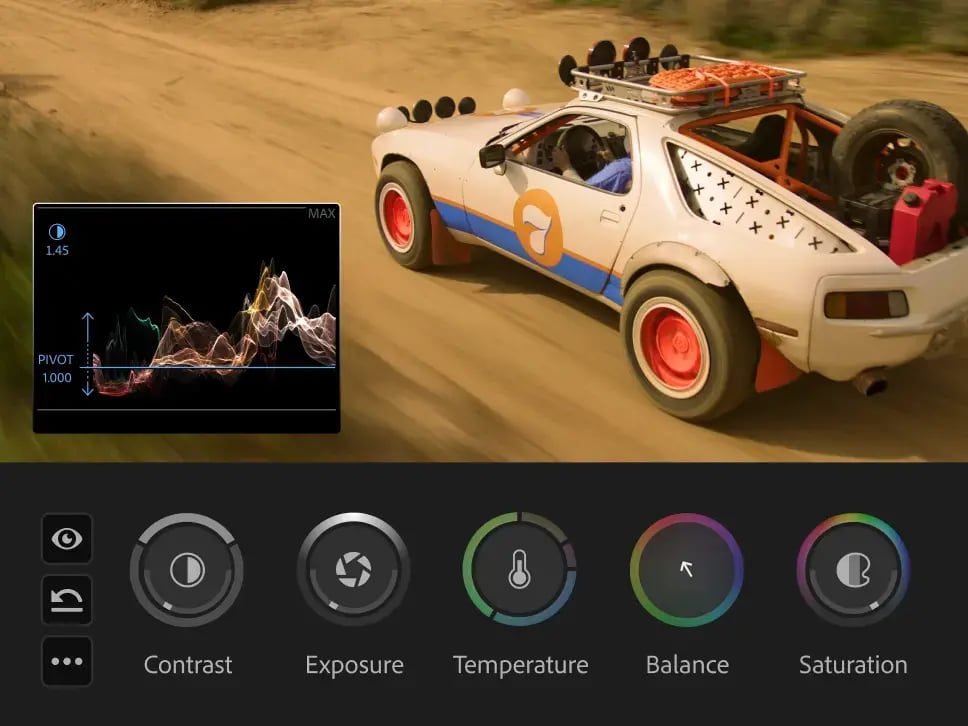
Bi-directional controls animate as you use them, giving you instant visual feedback on every adjustment. Shape contrast and pivot, temperature and tint — two dimensions at once with a single gesture. Zones let you target shadows and highlights for precise adjustment.
Color Mode was three years in the making and developed with input from hundreds of working editors during an extensive private beta. It is now available in public beta for all Premiere subscribers, with general availability planned for later in 2026.
The 26.2 update also adds Film Impact-powered effects and transitions, Object Masking with Sharp and Smooth edge modes, a searchable Sequence Index panel for navigating complex timelines, and improved offline media relinking with smarter path tracking across drives and platforms.
We’ll have more from the show floor.
Tags: Post & VFX Featured Adobe Adobe Premiere NAB 2026


RedShark 2020 @ All rights reserved.

Comments